
MasDesk.
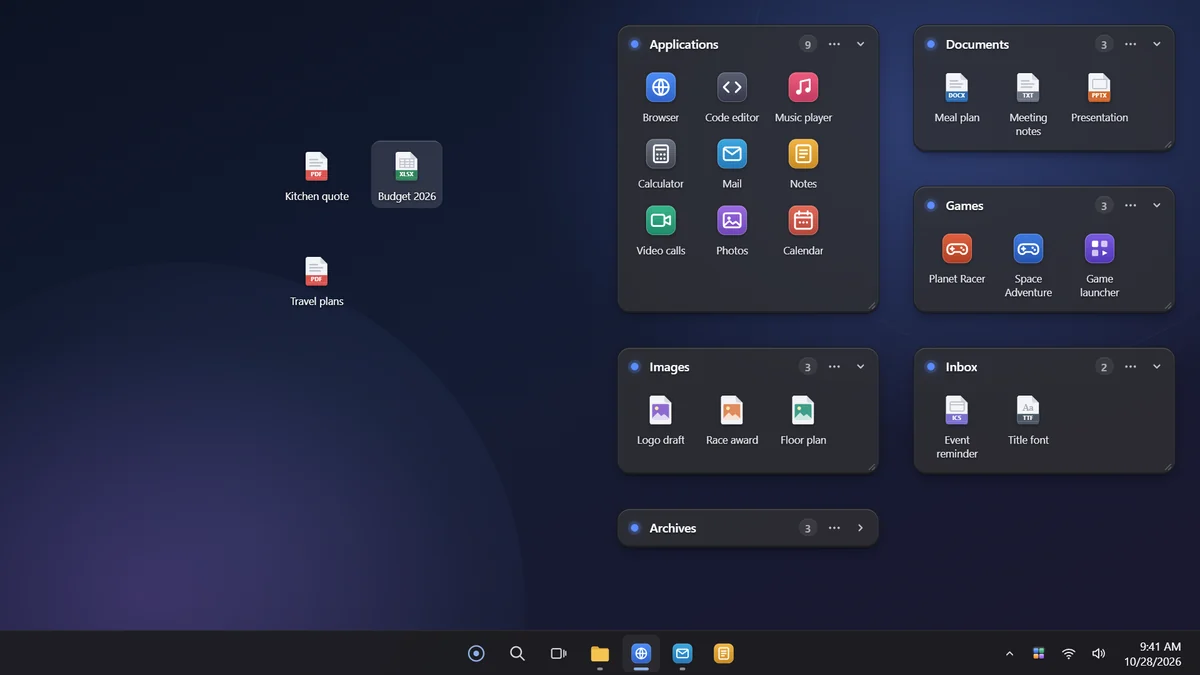
Groups your desktop icons into tidy boxes and sorts them on its own. Your files are never moved.
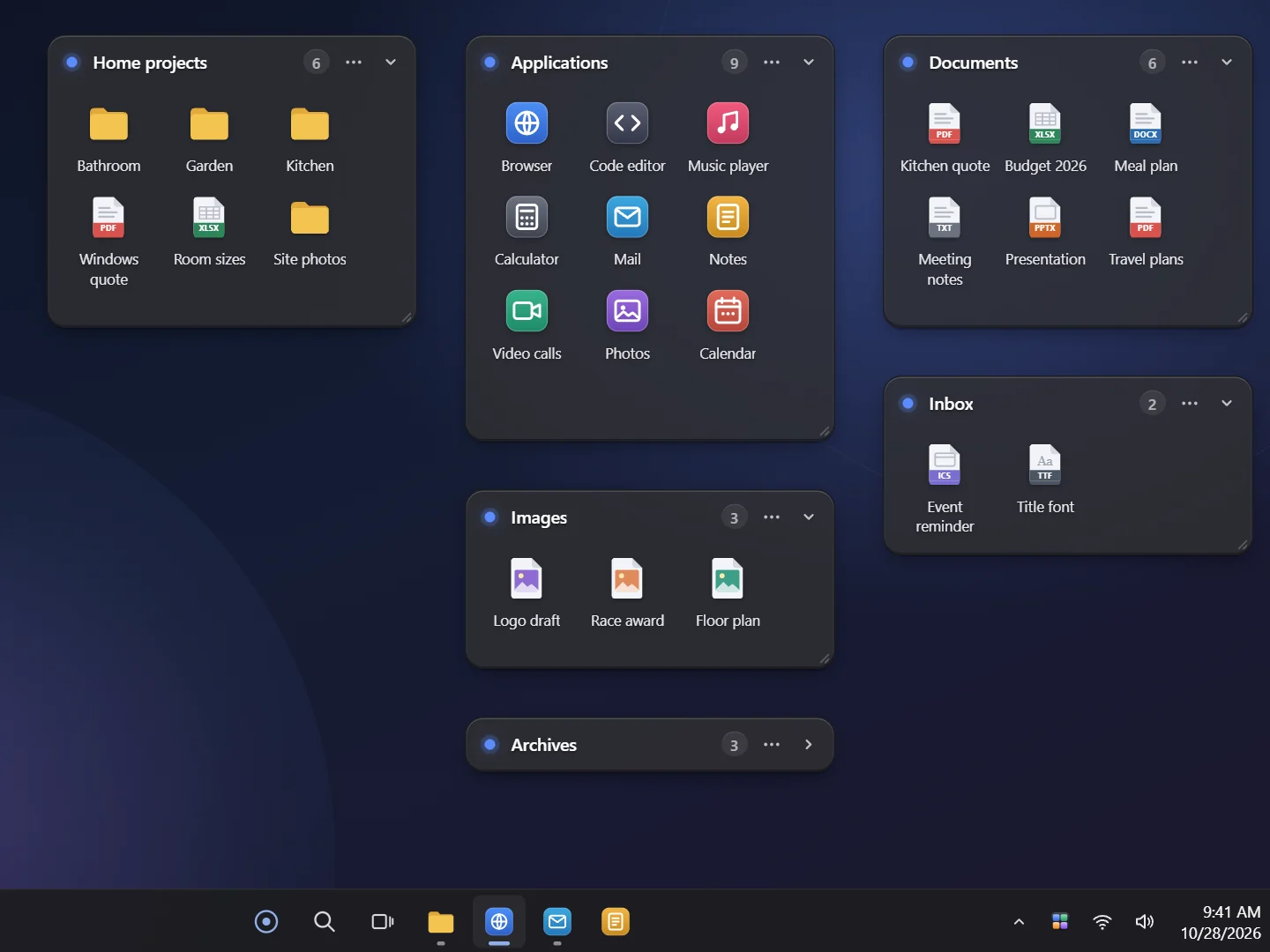
Gallery
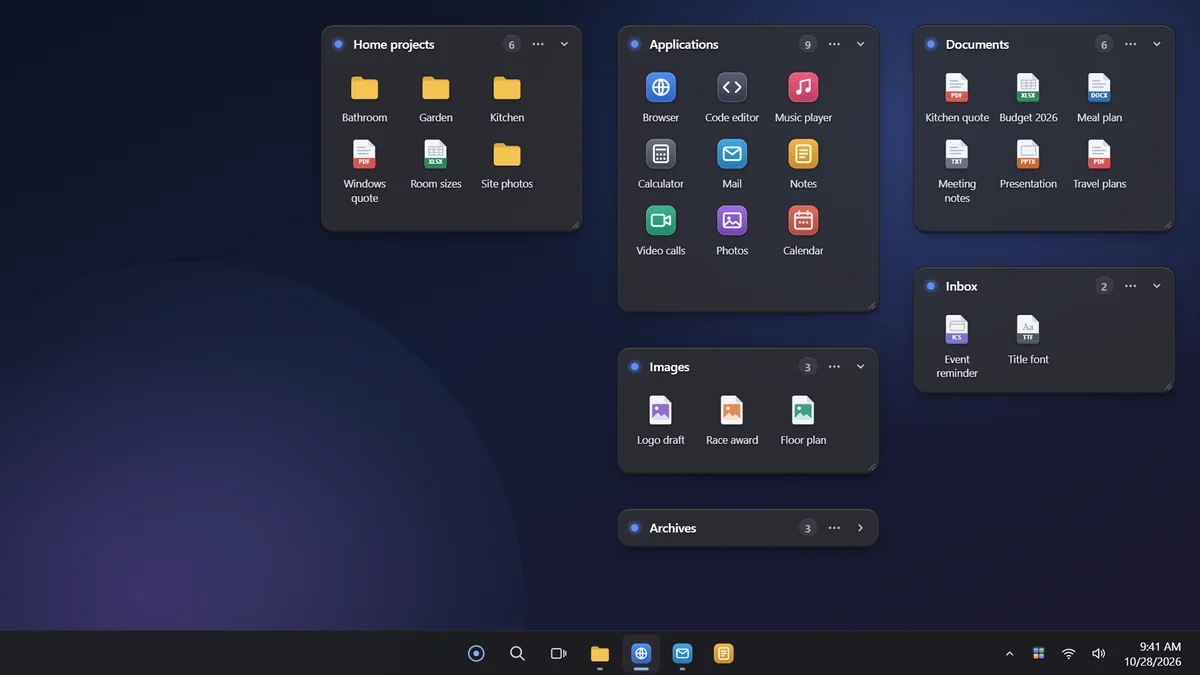
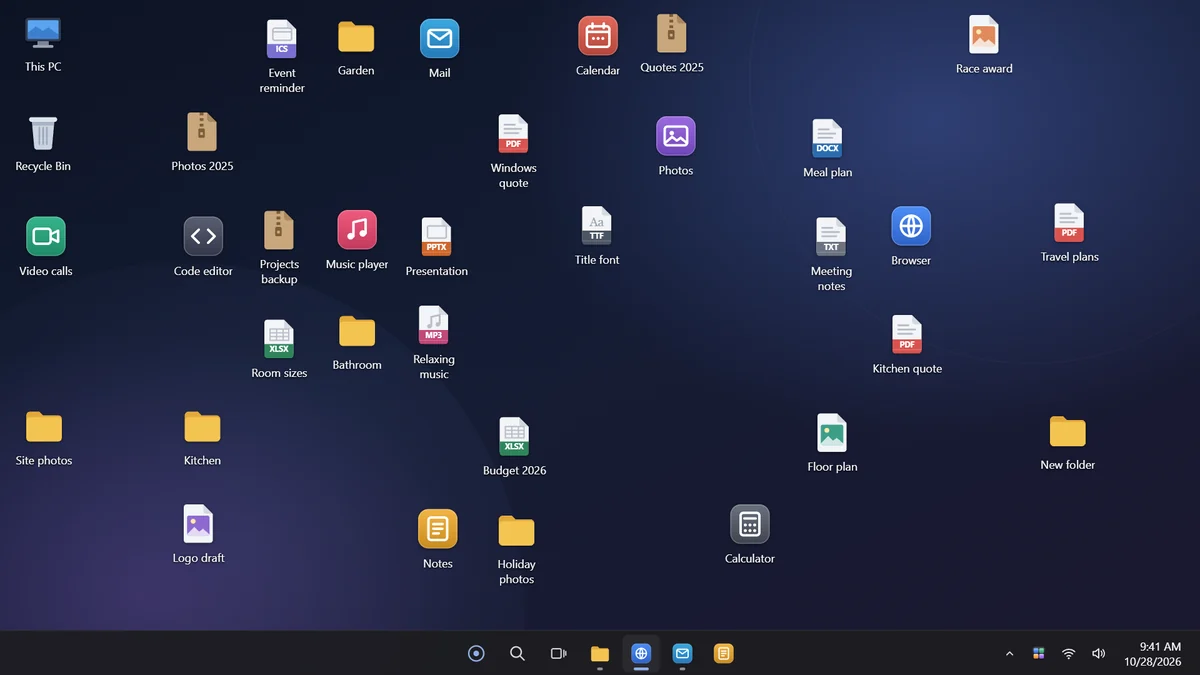
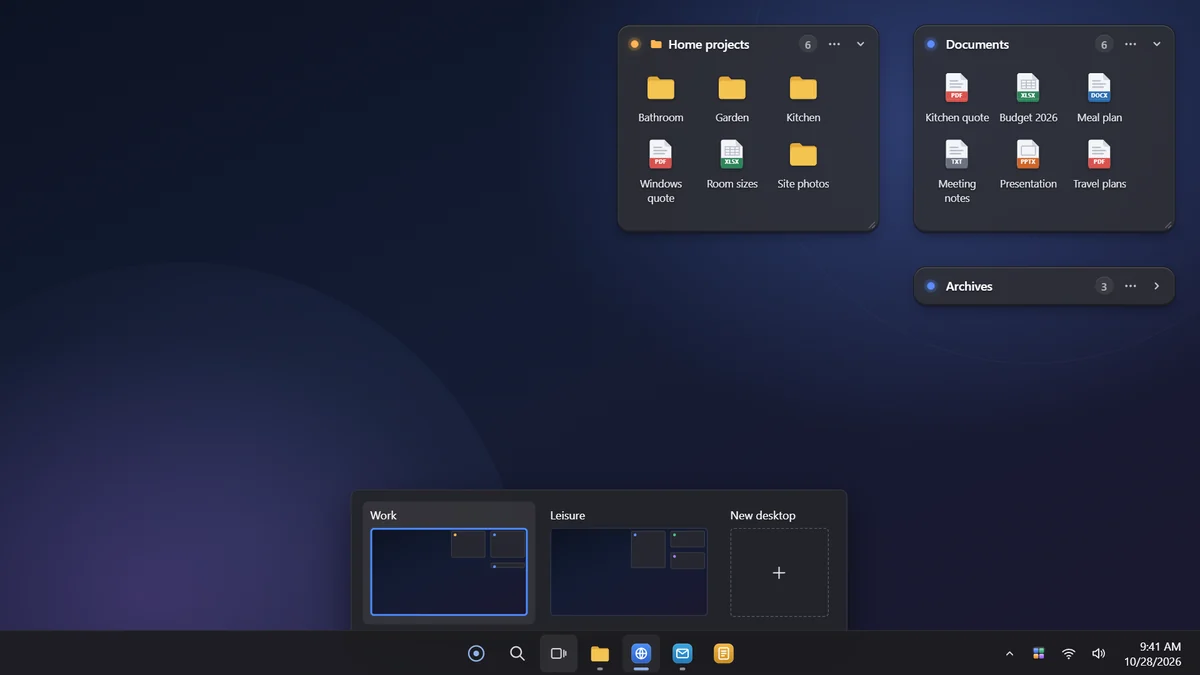
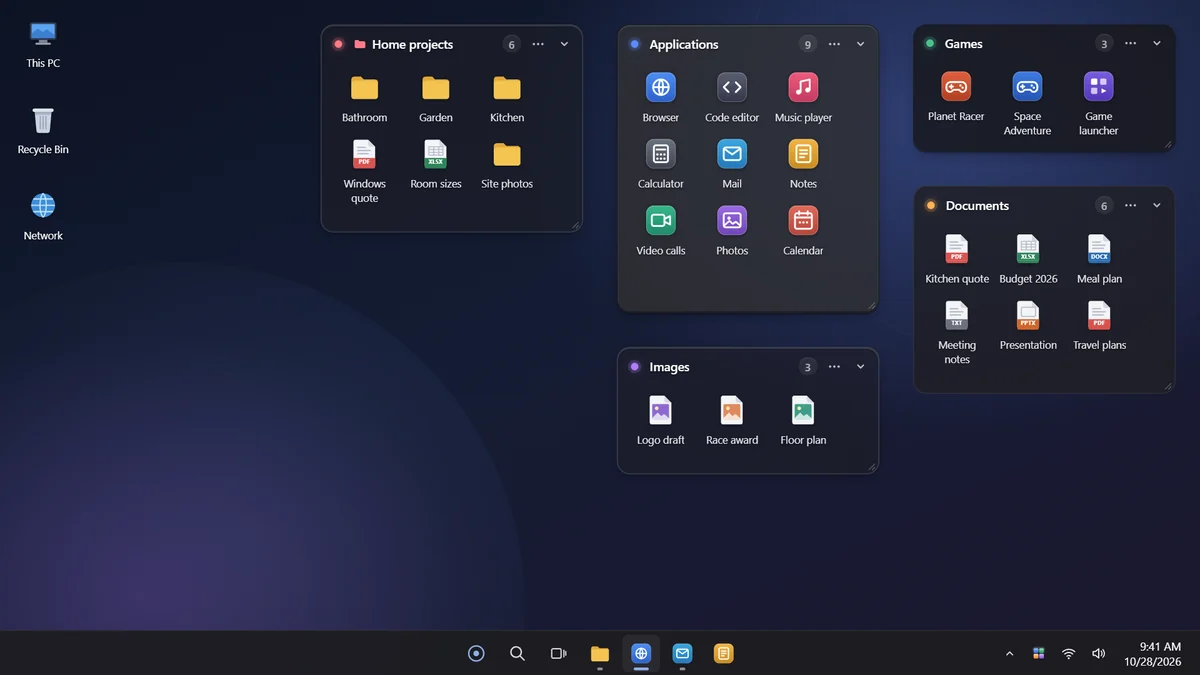
What MasDesk does.
Boxes on your desktop
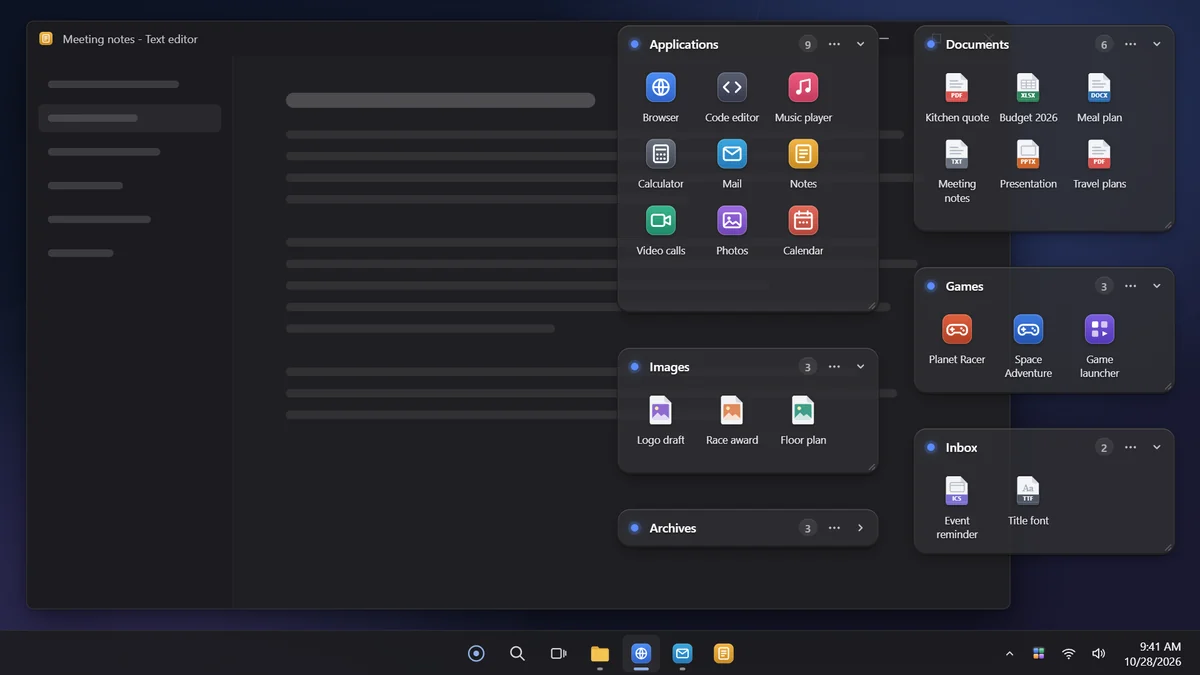
They sit above the wallpaper and below your windows, just like icons. Move them, resize them from any edge and roll them up with a double-click on the title.
Automatic sorting
Applications, utilities, documents, pictures, media, archives and folders. With Pro it recognizes games from Steam, Epic and other launchers, and you can add rules of your own.
Desktop Inbox
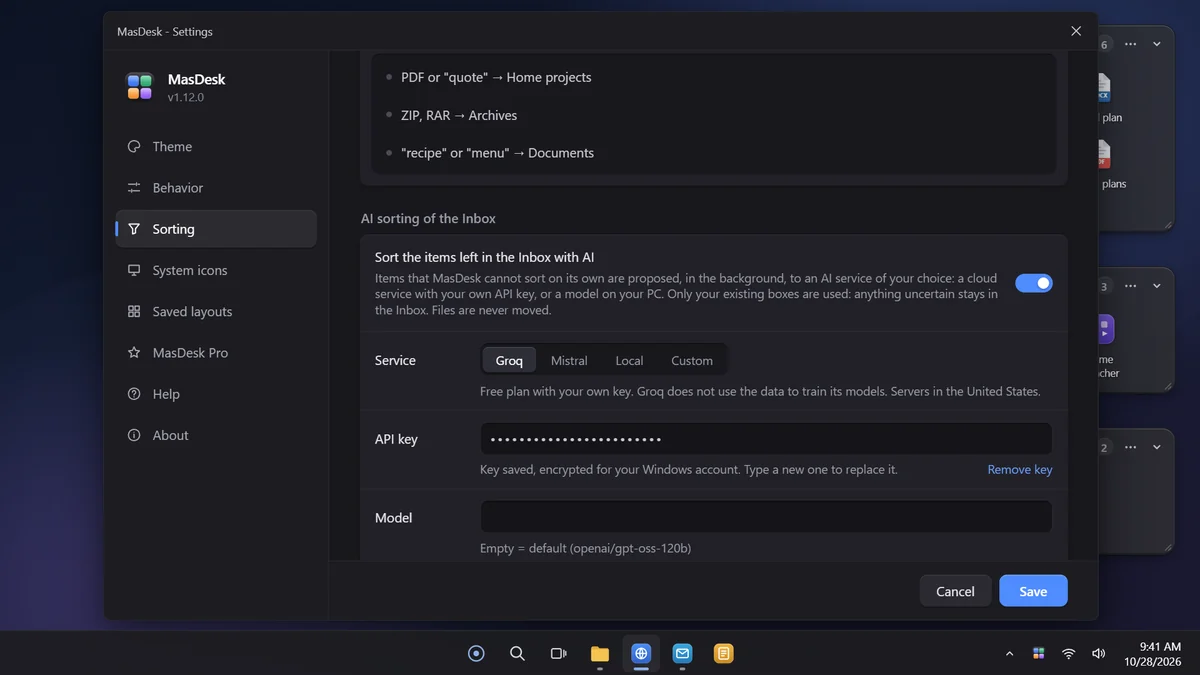
Anything MasDesk cannot place goes to the Inbox. Drag it to the right box and MasDesk remembers. With Pro, if you want, an AI sorts it for you.
Quick Search
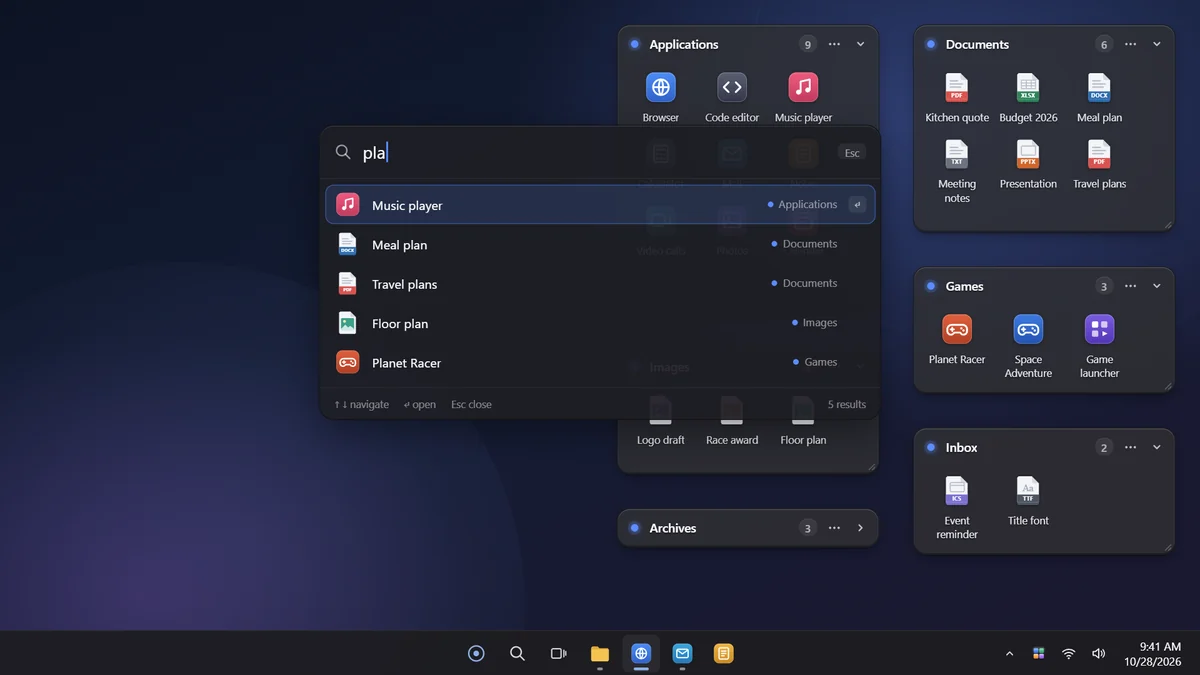
With Pro, press Ctrl + Space, type a few letters and open any desktop item, even one inside a rolled-up box.
Always at hand
With Show desktop (Win + D) your boxes stay visible. Double-click an empty spot on the desktop to show or hide them all. With Pro, Peek (Win + Space) brings them above all windows.
Light and local
No account and no data collected. Works without an internet connection, in English and Italian.
The details.
- 01
Files stay where they are
Boxes show links to the items on your desktop: close or uninstall MasDesk and your desktop is back the way it was.
- 02
Roll-up boxes
A double-click on the title rolls the box up, leaving only its header with the item count.
- 03
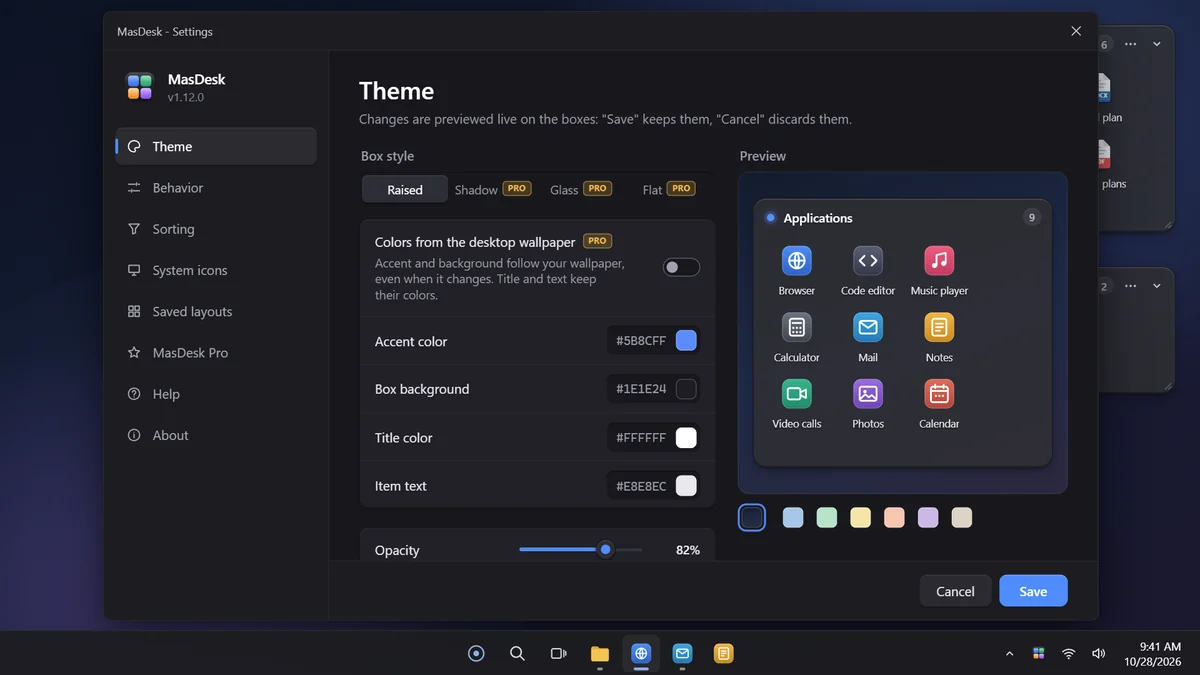
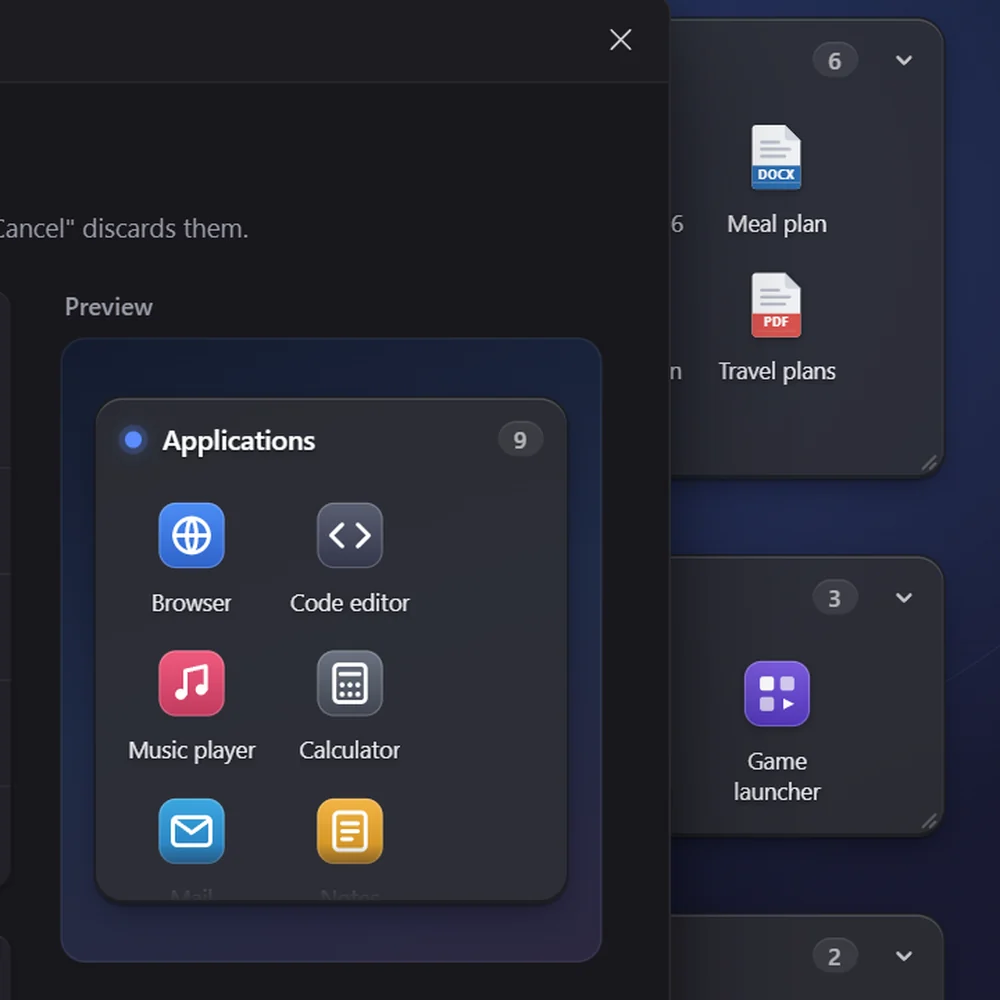
Preview on your wallpaper
In Settings, colors, opacity, corners, styles and, with Pro, the icon tint are previewed on your own wallpaper before you save.
download
Free · Pro €4.99 one-time
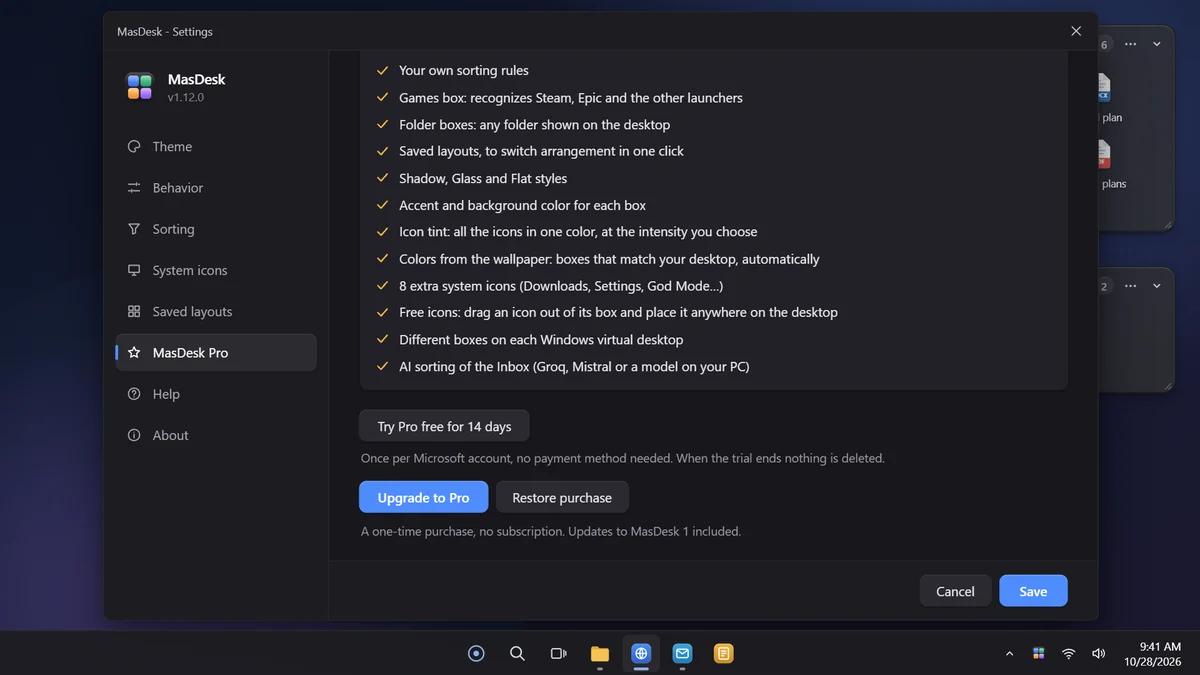
The free version covers everyday use completely and never expires. Pro is a one-time purchase inside MasDesk, through the Microsoft Store, with all updates to MasDesk 1: €4.99 at launch, then €9.99. No subscription. With the Store version you can try it free for 14 days.
requirements
- system
- Windows 10 or 11, 64-bit
- displays
- also tested on 4K at 150% scaling
- download
- about 65 MB, from the Microsoft Store
- connection
- not needed, except for the Store and AI
- languages
- English, Italiano
privacy
No data collected.
- data collected
- None: settings, boxes and logs stay on your PC
- tracking
- None
- account
- Not required
- files
- Stay where they are
- AI sorting
- Optional (Pro), off by default: only the name and type of Inbox items go to the service you chose, never their contents
What’s new
All versions- Easier-to-read Settings: larger text, a bigger window and tabs organized into sections (Behavior, Sorting, Saved layouts).
- Unsaved changes notice: if you close with the X or Esc, MasDesk asks before discarding them.
- Shortcuts in Settings: Ctrl+S saves, the up and down arrows switch tabs.
- Saved layouts: each layout shows how many boxes it holds and when you saved it; double-click to restore it.
- “Keep on the desktop what you create or paste there” (Pro): with right-click > New, Paste or Ctrl+V on the desktop the item stays where you clicked as a free icon, ready to open. Turn it on in Settings > Behavior.
- New “Rename…” entry in the menu of box items and free icons.
- New Help tab in Settings: report a problem, suggest an idea or get in touch.
- Settings > About: “Check for updates” downloads the new version from the Store and reopens MasDesk by itself.
- Settings > About: with MasDesk Pro you see the purchase date and what the license includes (one-time purchase, yours forever).
- New “Rate MasDesk in the Microsoft Store” entry in About; after a few days of use MasDesk asks once with a notification.
- Box menu > Background color: the swatches now show recognizable tints.
- Fixed a crash that could happen when opening Settings after an update of Windows or other apps.
Frequently asked questions
Does MasDesk move or delete my files?
No. Boxes show links to the items on your desktop, which stay in their folder. You can close or uninstall MasDesk at any time and find your desktop as it was. The only exception is the Delete command, which asks first and sends the file to the Recycle Bin.
What happens to my desktop icons if I close MasDesk?
If you chose to hide the Windows icons, MasDesk brings them back when it closes, even after a crash. If they ever stay hidden, the Support page shows how to bring them back by hand.
Which versions of Windows does it run on?
64-bit Windows 10 and Windows 11. It is developed and tested on 4K monitors at 150% scaling too.
Do I need an account or an internet connection?
No. MasDesk works offline and does not ask you to sign up. A connection is only needed for the Microsoft Store, to install it, for the trial or to buy Pro, and for AI sorting if you turn it on.
Does MasDesk collect any data?
No. Settings, box layout and logs stay on your PC, and MAS Softworks receives nothing. Only if you turn on Pro’s AI sorting do the name and type of the items left in the Inbox go from your PC to the service you chose, never their contents. Details are in the privacy policy.
How does AI sorting work?
It is an optional Pro feature, off by default. In Settings you choose the service (Groq or Mistral with your own API key, a model on your PC with Ollama or LM Studio, or a compatible service of your choice) and accept a notice. On Mistral’s free plan the data may be used to train its models until you turn this off: the notice explains how. Items that MasDesk cannot sort on its own are proposed to the model, which picks one of the boxes you already have; anything uncertain stays in the Inbox, and no file is ever moved.
Can I try Pro before buying it?
Yes, with the Microsoft Store version: in MasDesk choose “Try Pro free for 14 days”, in the MasDesk Pro tab of Settings or when you touch a Pro feature. The trial works once per Microsoft account, does not ask for a payment method and never turns into a purchase on its own. At the end MasDesk goes back to the free version: Pro boxes, rules and colors are set aside, with nothing deleted, and come back as they were if you buy MasDesk Pro. On another PC with the same account the trial continues, it does not start over.
I changed PC: do I have to buy Pro again?
No. Sign in to the Microsoft Store with the same Microsoft account, open MasDesk and choose Restore purchase in the MasDesk Pro tab of Settings.
Can I get a refund?
Purchases go through the Microsoft Store, so refunds are requested from Microsoft. The steps are on the Support page.
Something wrong with MasDesk?
Every report gets read. Include the version and device if you can.