
DeskInfo.
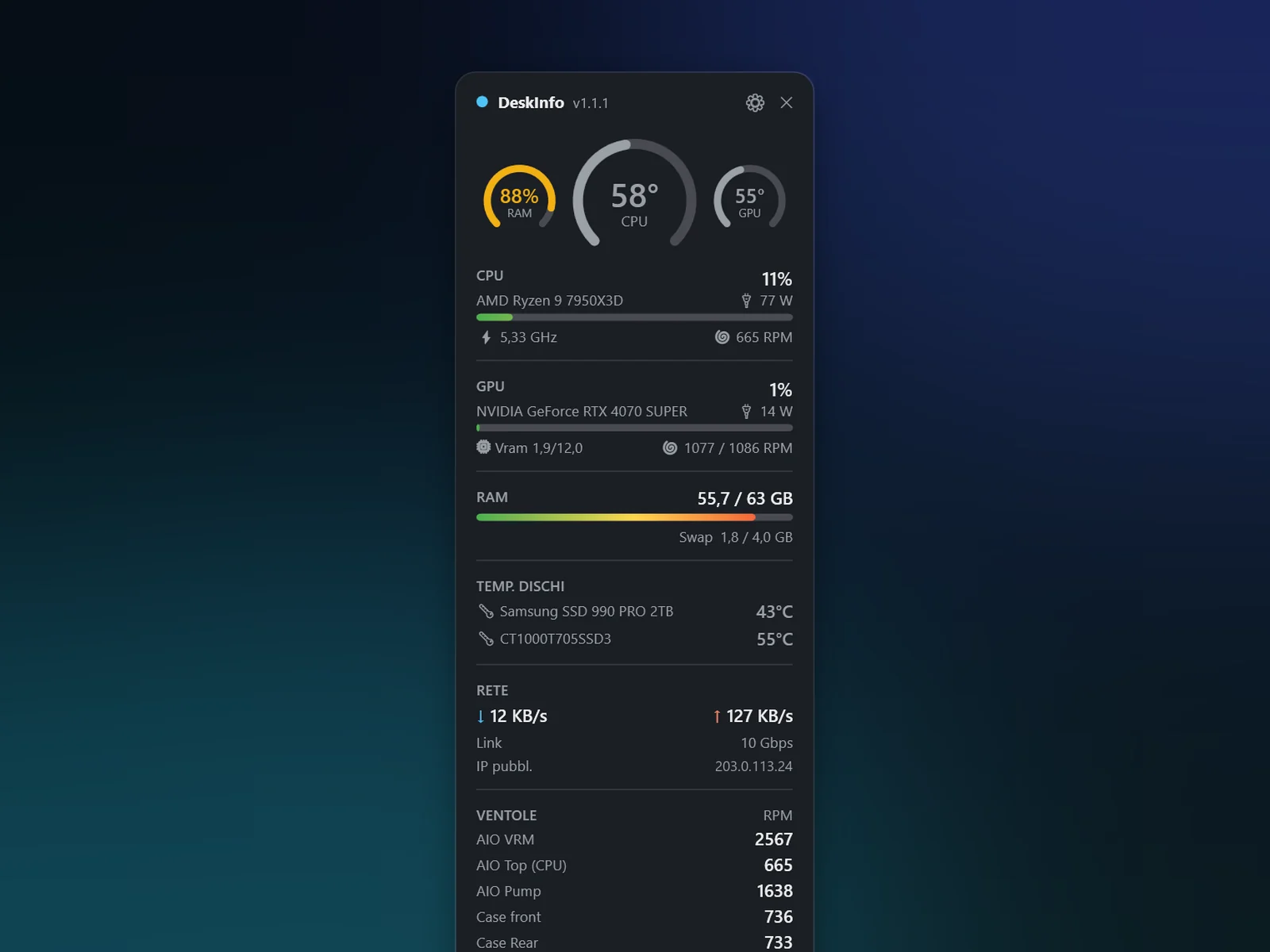
A Windows desktop widget: CPU, GPU, RAM, disks, network, temperatures and fans in real time, with fan control.
What DeskInfo does.
Everything in one card
CPU load, clock, temperature and power; GPU temperature, VRAM and power; RAM and swap; disks with their temperature; network with Wi-Fi and public IP; fans.
At a glance
Three rings at the top: CPU temperature large, GPU and RAM beside it. Bars and rings shift from grey to amber to red as values rise.
Fan control
Temperature curves with four presets (Silent, Standard, Turbo, Maximum) or manual control per fan. When it closes, fans go back to the BIOS curve.
In the notification area
The icon shows the CPU temperature, and a warning appears when the processor or graphics card gets too hot.
Made to fit
Pick which items to show, opacity and scale from 100 to 150%, save setups as profiles. It starts with Windows, sensors included.
Quick tools
Turn off the monitor, keep the PC awake by moving the mouse until a set time, schedule a shutdown.
The details.
- 01
Temperature up front
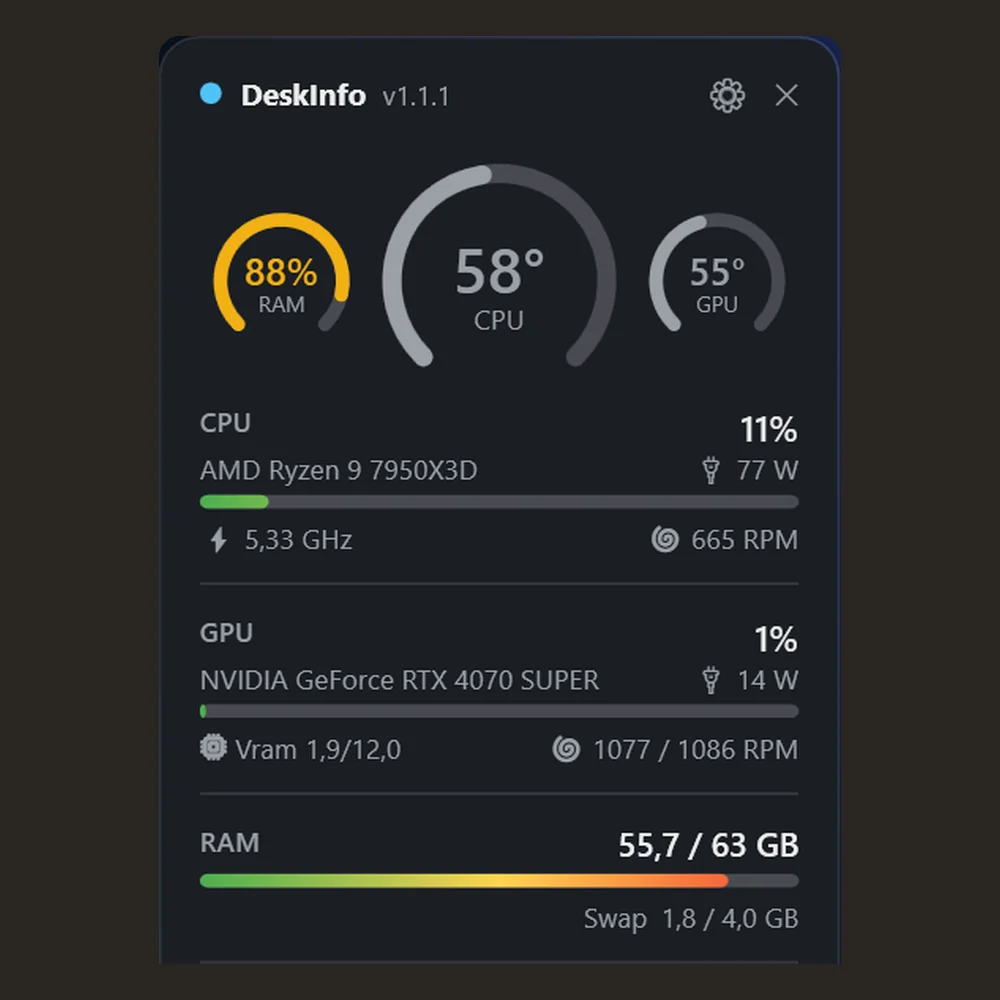
The large ring is for the CPU, the two small ones for GPU and RAM: readable from across the desk.
- 02
Details next to the processor
Below the CPU name: clock speed, power draw in watts and the cooler fan speed.
- 03
Colors that warn you
Bars fade from green to amber to red as they fill, so a high value stands out.
download
Free · Pro coming soon
DeskInfo is still in the works: how and when it will be available will be announced on this page.
requirements
- system
- Windows 10 or 11, 64-bit
- permissions
- administrator for CPU temperature and clock and for motherboard fans
- driver
- PawnIO, installed on first run to read the sensors
- languages
- English, Italiano
privacy
Your data stays on your PC.
- settings and profiles
- On the PC only
- public IP
- Requested from an external service (ipify or similar), which sees your IP address
- account
- Not required
- analytics
- None
Frequently asked questions
Why does the CPU temperature show N/A?
CPU temperature and clock and the motherboard fans can only be read with administrator rights. Run DeskInfo as administrator, or choose to start with Windows with sensors: the Windows prompt appears only once.
What is PawnIO?
A signed, open source driver (pawnio.eu) that DeskInfo installs on first run to read motherboard sensors, even with Windows Memory Integrity turned on.
Can I control the fans?
Yes, with DeskInfo running as administrator: temperature curves with four presets or manual control per fan. When it closes, fans go back to the BIOS curve. Do not use it together with other fan control software, such as the motherboard maker’s.
When will it be available?
DeskInfo is in the works. How and when it will be available will be announced on this page.
Something wrong with DeskInfo?
Every report gets read. Include the version and device if you can.